Hello,
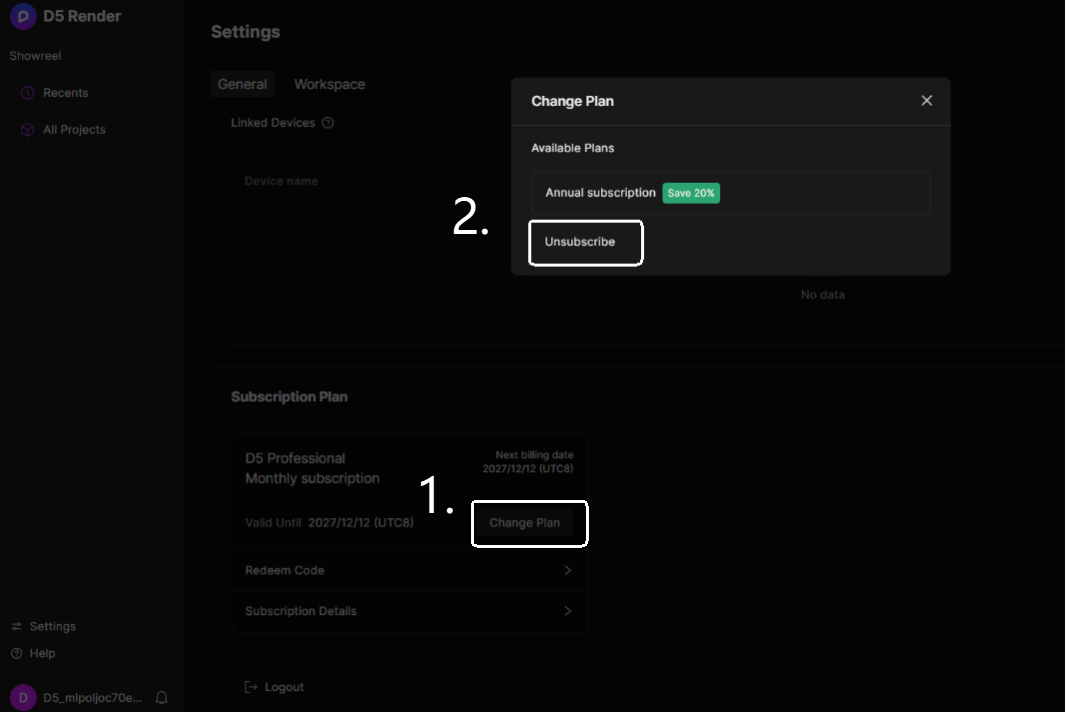
- Users with a PRO subscription can manage cancellations independently within their My Space page, accessible via D5 Render's website My Space > Subscription Plan > Change Plan> Unsubscribe.
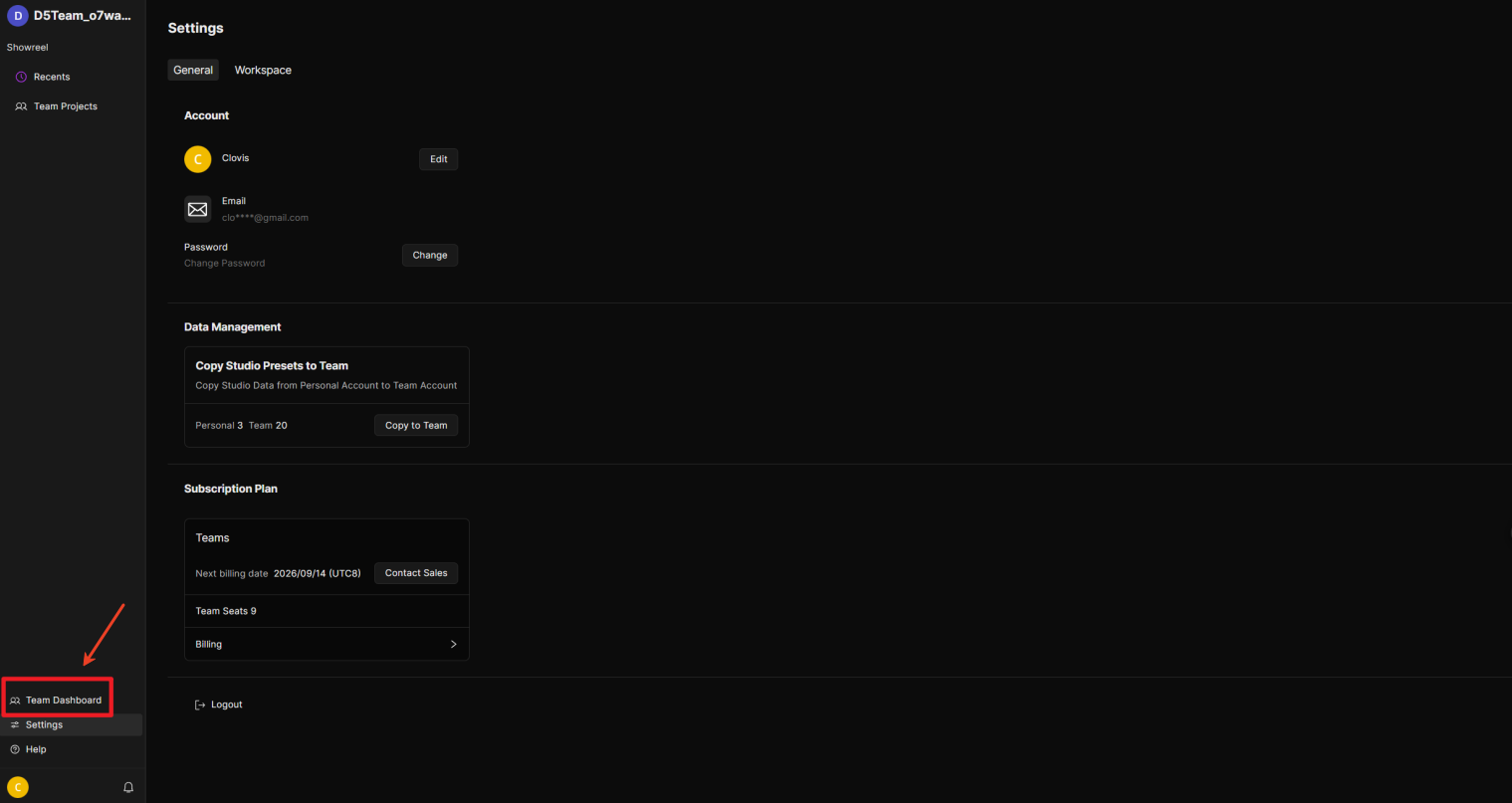
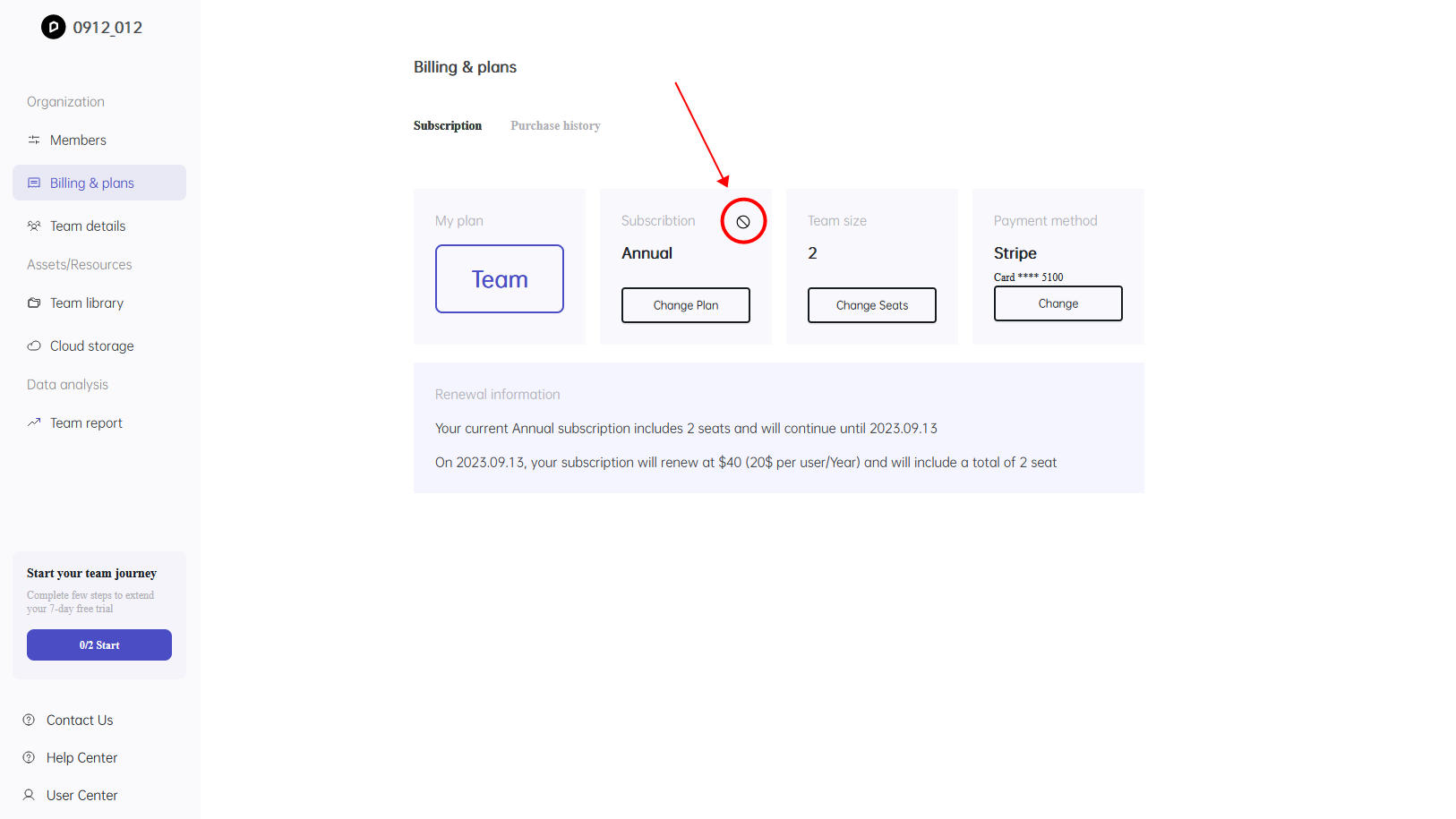
- Team Owners can manage their unsubscription independently via D5 Render My Space > Team Dashboard > Billing & Plans.
Please note that subscription cancellation is not supported during the 24-hour billing day, so please operate it in advance, please refer to: Why does it fail when I unsubscribe?
Was this article helpful?
That’s Great!
Thank you for your feedback
Sorry! We couldn't be helpful
Thank you for your feedback
Feedback sent
We appreciate your effort and will try to fix the article